People Data API: Fields, Match Rules, Errors, and Pricing
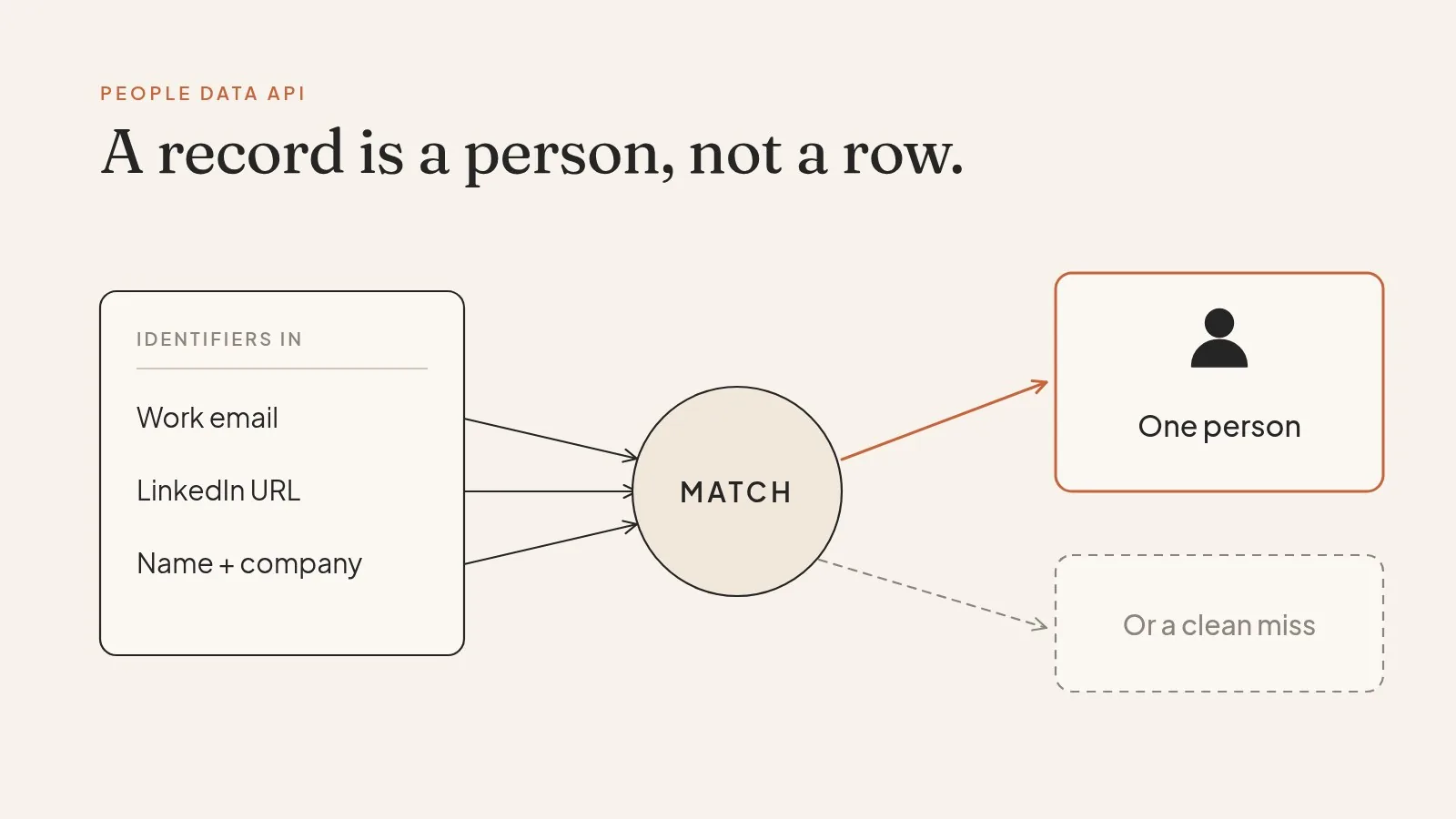
A people data API takes something you know about a person, like a work email, a LinkedIn URL, or a name plus a company, and returns a structured record: current title, employer, location, past roles, and sometimes contact points. That part is easy to explain. The harder part, and the part most docs skip, is what the API does when it isn't sure who you meant.
At ProspectDesk we turn anonymous website visitors into named people and check each one before any outreach goes out. Most of that work happens on the uncertain cases. So this guide spends more time on misses than on hits, because misses are where an integration quietly breaks.
The two kinds of call
Almost every people data API offers two operations, and they behave very differently.
Enrichment (also called lookup or match) starts with one person you already have in mind. You send identifiers, and the API returns the single best record or nothing.
Search starts with a description: "VPs of sales at US logistics companies with 200 to 1,000 employees." The API returns a list of people who fit.
People Data Labs (PDL), whose public docs are among the most detailed in the category, splits these into separate endpoints: /v5/person/enrich and /v5/person/search (PDL docs). Most vendors do the same. Use enrichment for records that arrive from your users, and search for building audiences. Mixing them up is a common reason a pilot looks great and production looks thin.
The fields you can expect
Field names change by vendor, but a person record usually looks something like this:
{
  "full_name": "Dana Ortiz",
  "job_title": "Director of Revenue Operations",
  "job_title_role": "operations",
  "job_title_level": "director",
  "job_company_name": "Harbor Freight Logistics",
  "job_company_website": "harborfreightlogistics.com",
  "job_start_date": "2024-03",
  "location_country": "united states",
  "linkedin_url": "linkedin.com/in/danaortiz",
  "work_email": "dana.ortiz@harborfreightlogistics.com",
  "experience": [ { "company": "...", "title": "...", "start_date": "...", "end_date": "..." } ]
}
(Dana is an invented example, not a real record.)
Look closely at three fields before you trust the rest.
job_start_date tells you how old the employment claim is. A title that started last month and one that started six years ago are not equally reliable, and the API won't flag the difference for you.
work_email is the field people care about most, and the most misunderstood. A returned email means the vendor has an address associated with this person. It doesn't mean the address accepts mail today. That's a separate question, and you answer it with an email verification API, not the people API.
linkedin_url is often the strongest identifier in the record. If you store only one ID per person, store this one.
How matching works, and why "200 OK" can mean nothing
When you send an enrichment request, the API compares your inputs against its records and scores the candidates. Good APIs expose that score. PDL calls it likelihood, an integer from 1 to 10, and lets you set a floor with min_likelihood (PDL enrichment docs).
That setting matters more than any other parameter you pass. Set it low and you get more matches, some of them the wrong person. Set it high and you get fewer, cleaner ones. There's no universal right number. It depends on what happens downstream when you're wrong.
If a wrong match only skews a dashboard, a looser threshold is fine. If a wrong match means an email greets the wrong Dana Ortiz with details from someone else's career, you want the strict setting, and you want the miss.
Also watch how the API reports a miss. PDL's search docs say the endpoint returns HTTP 200 for any valid request "regardless of whether it found records," so you have to read the total field (source). PDL's enrichment endpoint returns a 404 when nothing clears the bar. Code that only checks for a 200 will treat an empty search as success and ship blank rows into a workflow that expects people.

Making the call
Here's the shape of an enrichment request against PDL's person endpoint with a minimum match score. The parameter names are PDL's; other vendors use different ones, but the pattern carries over.
curl -G "https://api.peopledatalabs.com/v5/person/enrich" \
  -H "X-Api-Key: $PDL_KEY" \
  --data-urlencode "profile=linkedin.com/in/danaortiz" \
  --data-urlencode "min_likelihood=6"
The same idea in Python, written so a miss is handled on purpose instead of by accident:
import requests

def enrich(profile_url, key, min_score=6):
    r = requests.get(
        "https://api.peopledatalabs.com/v5/person/enrich",
        headers={"X-Api-Key": key},
        params={"profile": profile_url, "min_likelihood": min_score},
        timeout=10,
    )
    if r.status_code == 404:
        return None          # no confident match, which is a real answer
    r.raise_for_status()     # 401, 402, 429 and friends get raised loudly
    return r.json()["data"]
Return None for a miss and raise for everything else. Your code then has three clear outcomes: a person, no person, or a problem to fix.
Writing search queries that don't waste credits
Search is where most of the money goes. PDL accepts either an Elasticsearch query or a SQL-style WHERE clause, returns 1 to 100 records per call through the size parameter, and hands back a scroll_token for the next page (reference). A query for the earlier example might look like this:
SELECT * FROM person
WHERE job_title_role = 'operations'
  AND job_title_level IN ('director', 'vp')
  AND job_company_industry = 'logistics and supply chain'
  AND location_country = 'united states'
Filter on normalized fields, like role and level, not raw title text. "Dir. RevOps," "Revenue Operations Director," and "Head of Rev Ops" are the same job, and a text match on one misses the other two.
Keep `size` small until the query returns what you expect. Ten records will tell you whether the filter is right.
Dedupe as you page. Overlapping searches can return the same person more than once, and you may pay for each copy.
Look past page one. PDL sorts search results by profile completeness. That's convenient, but it means the first page leans toward people with rich public profiles, who are often the most contacted people in their market. If you target the quieter part of a market, the people you want are further down.
Errors you'll actually hit
Handle these on day one:
- 401 when the key is missing or wrong. PDL returns this for an invalid key (auth docs).
- 404 or an empty result on enrichment. This is a normal, healthy outcome.
- 429 when you hit the rate limit. Back off and retry. Don't hammer.
- 402 or similar when credits run out. Make this one loud, because it can silently turn every request into a miss.
- Partial records. A match with a name and company but no title is common at smaller companies. Decide in advance whether a partial record is good enough for your use.
Hit rate is the wrong first question
Buyers almost always ask for a match rate. It's a fair question, but on its own it misleads. A vendor can raise its match rate by loosening its own threshold, and you'd never see that in the number.
Ask three things instead, on a sample of your own records:
- Of the matches, how many are the right person? Spot-check 50 by hand.
- Of the right people, how many have the right current employer?
- Of the emails returned, how many pass verification today?

The third number is usually the one that surprises people. In August 2026, Reachium published verification outcomes for 655,442 B2B addresses in its own database: 54% came back deliverable, 18% sat on catch-all domains that can't be confirmed either way, and about 15% bounced outright (Reachium). That's one vendor's data, not an industry benchmark, but it shows how far "an email was returned" can sit from "this email can be sent to."
How pricing usually works
Here's how the two call types tend to bill, using PDL's published rules as the example.
| Call | What you send | What you get | What it costs at PDL |
|---|---|---|---|
| Person enrichment | One or more identifiers for one person | The best match, or a miss | 1 credit per successful match |
| Person search | A query over fields like role, level, industry, country | Up to 100 profiles per call | 1 credit per profile returned |
Most people data APIs charge per successful match, not per request. PDL is a clear public example: unsuccessful requests aren't billed, and its self-serve Pro plan starts at $98 a month for person data, with 350+ records a month (PDL plans, PDL pricing).
Two traps live inside that model. First, per-match pricing gives a vendor a small incentive to match loosely, which is one more reason to judge precision before hit count. Second, search burns credits fast. One query can return 100 profiles and charge for every one, so cap size while you test.
Annual contracts with a fixed record allowance are the other common model, mostly at enterprise vendors. They're simpler to budget and easier to overpay on.
Where a people API stops, and where KYP starts
A people API answers "who is this person and where do they work." Whether you can reach them is a separate question, answered by verification. Facts about their company sit in a company data API, and the software they run shows up in a technographic data API.
It also assumes you already know who to look up. Most of the people who matter to you never get that far: they visit your pricing page and leave without filling in a form. ProspectDesk starts there. We resolve anonymous website visitors to real people, then run a Know Your Prospect (KYP) check before any outreach goes out:
- Real: the visit resolves to one specific person, not a best guess at a name.
- Reachable: their email is verified as deliverable at the time of the check.
- Ready: there's a current in-market signal, so the outreach has a reason to happen now.
A person who fails any of the three is held back, the same way a good enrichment call returns a miss instead of a guess. Agencies and platforms white-label the whole thing and bill it as their own product.
A short checklist before you sign
- Run 200 of your own records, including some you know are hard.
- Read the misses as carefully as the hits.
- Set your match threshold by the cost of a wrong match, not the size of the result.
- Verify every returned email before it reaches a sender.
- Check the start date on every job record.
- Confirm how a no-match is reported, so your code doesn't log it as a success.
Related guides
- B2B data provider guide — how to test a vendor on your own records before you sign.
- Data enrichment API guide — how enrichment matching works and what to check before you pick one.
- Email verification API guide — why a returned email isn't a sendable email, and how to handle catch-alls.
- Technographic data API guide — how tech-stack detection works and where it goes wrong.
If you want to see how KYP handles your hardest records, book a call and bring a sample. We'll show you the people we hold back, too.
FAQ
What is a people data API?
An API that returns a structured person record from an identifier you already have (enrichment) or a set of people who match filters (search). A good one returns one confident match or an honest miss, never a guessed name.
What's the difference between a people search API and an enrichment API?
Search answers "who exists that fits this description" and returns a list. Enrichment answers "is this the person on the row I already have" and returns one record or nothing. They bill differently, too: search usually charges per profile returned, enrichment per successful match.
Does a returned email mean I can send to it?
No. It means the vendor has an address linked to that person. Run it through an email verification API before it goes anywhere near a sender, and re-verify if it's more than a few weeks old.
What match threshold should I use?
Set it by the cost of being wrong. For analytics, a looser threshold is fine. For anything that writes to a person by name, use a strict threshold and treat the extra misses as the system working.
How do people data APIs charge?
Usually per successful match, with misses free. PDL, for example, charges 1 credit per enrichment match and 1 per search profile returned, and its Pro plan starts at $98 a month for person data. Enterprise vendors more often sell annual contracts with a fixed record allowance.